Servicebay Review (2026): We Ran a Job From Quote to Paid Invoice
Servicebay is a young field service app for small crews, priced per seat, covering jobs, scheduling, quotes, invoices, payments, inventory and reports.
By Javier · Trade Software Reviews
Servicebay is a young, well-designed field service app with honest per-seat pricing, real inventory tracking and solid reports. In our test, a job went from quote to paid invoice in about 12 minutes. Quotes and jobs live separately, so an approved quote doesn't turn into a job by itself, and the integration list is short. A strong value pick for small crews on Pro; skip Basic if you need to quote or invoice.
Disclosure: We may earn a commission when you sign up through links on this page, at no extra cost to you. This never affects our ratings. Learn more.
Pros & cons
Pros
- Clean, fast interface
- Real parts inventory with stock levels
- Tax per line item
- Broad reports for the price
Cons
- Quotes and jobs are separate flows
- Basic plan cannot quote or invoice
- Only Stripe, Xero and QuickBooks integrations
- Young product with few public reviews
Servicebay pricing
Plans below reflect publicly listed pricing, verified November 17, 2026. Vendors adjust prices periodically, so confirm at checkout.
Basic
Billed annually ($12/seat month to month). Jobs, customers, calendar and team only: no quotes, invoices or payments
- Jobs in store, off site or remote
- Customers and job history
- Calendar
- Team management
Pro
Billed annually ($36/seat month to month). 30-day free trial of Pro, no card required
- Everything in Basic
- Quotes and invoices
- Card payments
- Inventory
- Reports
- Xero or QuickBooks sync
Feature-by-feature breakdown
Inside Servicebay
Who Servicebay is for
Servicebay suits small home service and trade businesses, from a solo operator to a crew of about ten, that want a modern app, a price per person they can predict, and real parts inventory. It covers HVAC, plumbing, electrical, cleaning and general repair work. If you mostly need scheduling and don't bill through the app, Basic is very cheap; if you quote and invoice, plan on Pro seats.
How we tested it
Servicebay gave us a reviewer account with a demo business already set up (Fernwood Property Services in Austin, Texas) and sample customers, jobs, quotes and invoices. On November 17, 2026 we ran one job end to end with a test customer:
- Customer: name, phone, email and an address picked from autocomplete. About a minute.
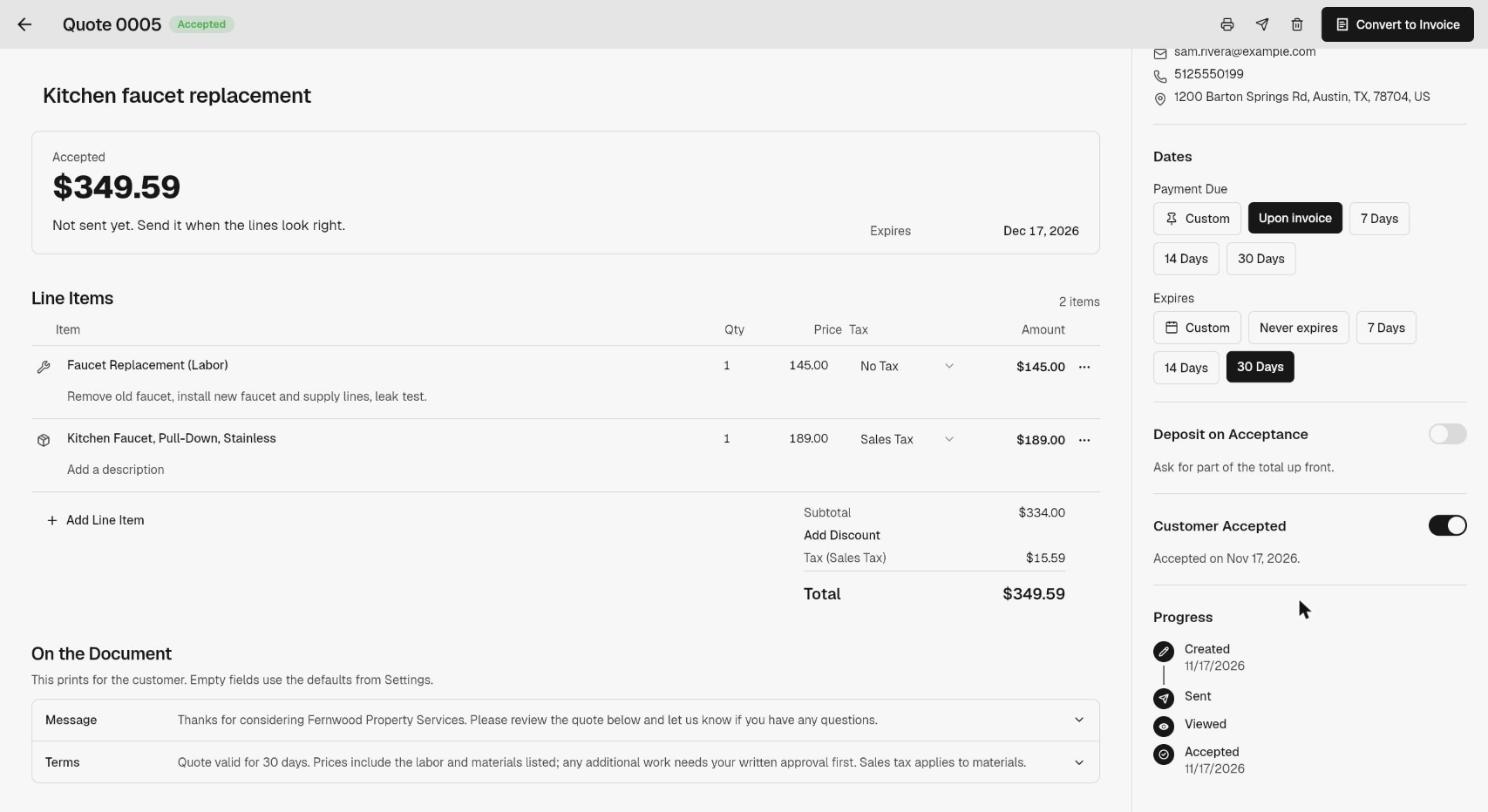
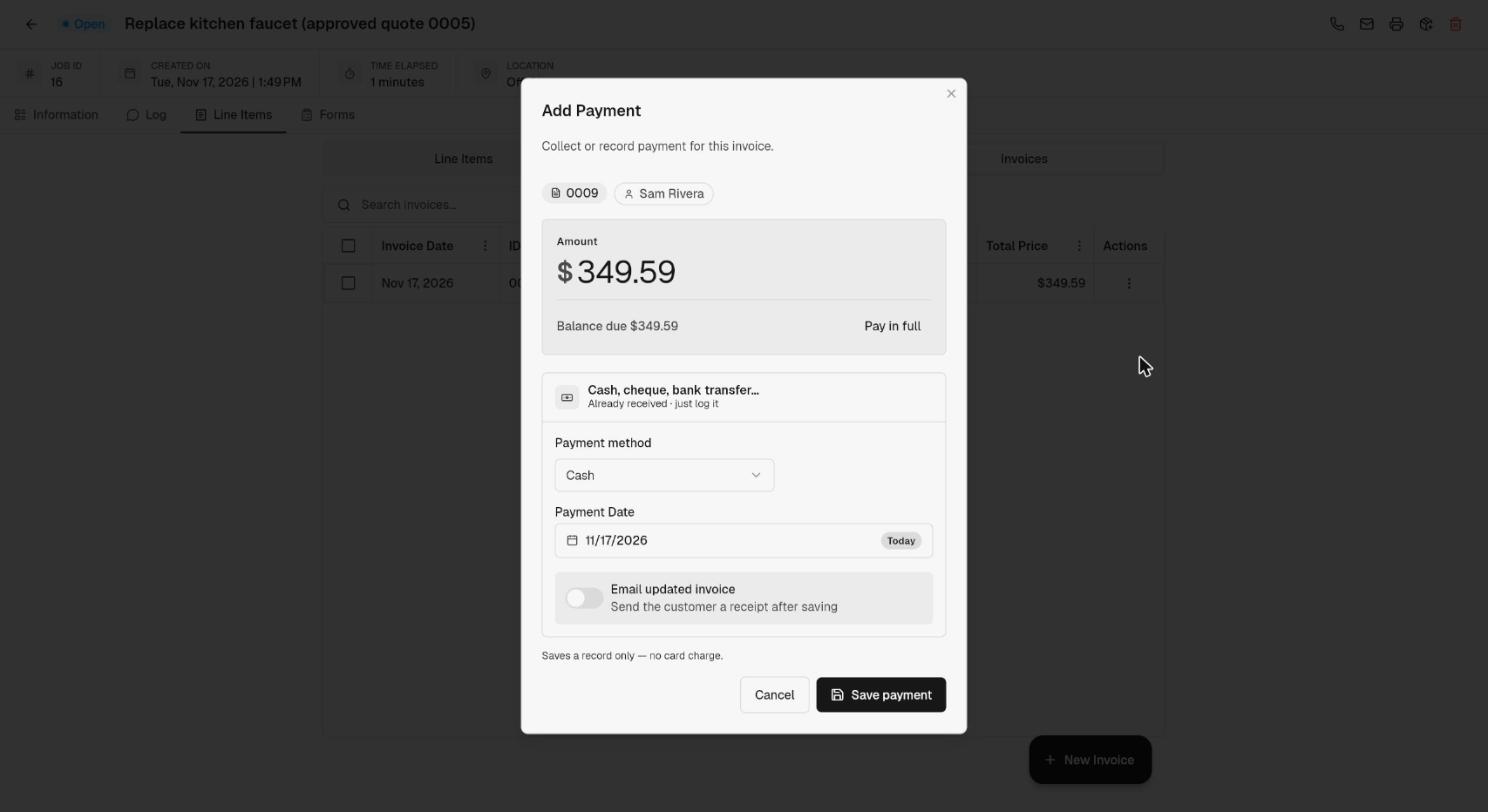
- Quote: a kitchen faucet replacement with one labor line from the service list and one faucet from inventory. Sales tax applied only to the part, which is how most states tax it. Total $349.59. We marked it accepted in person.
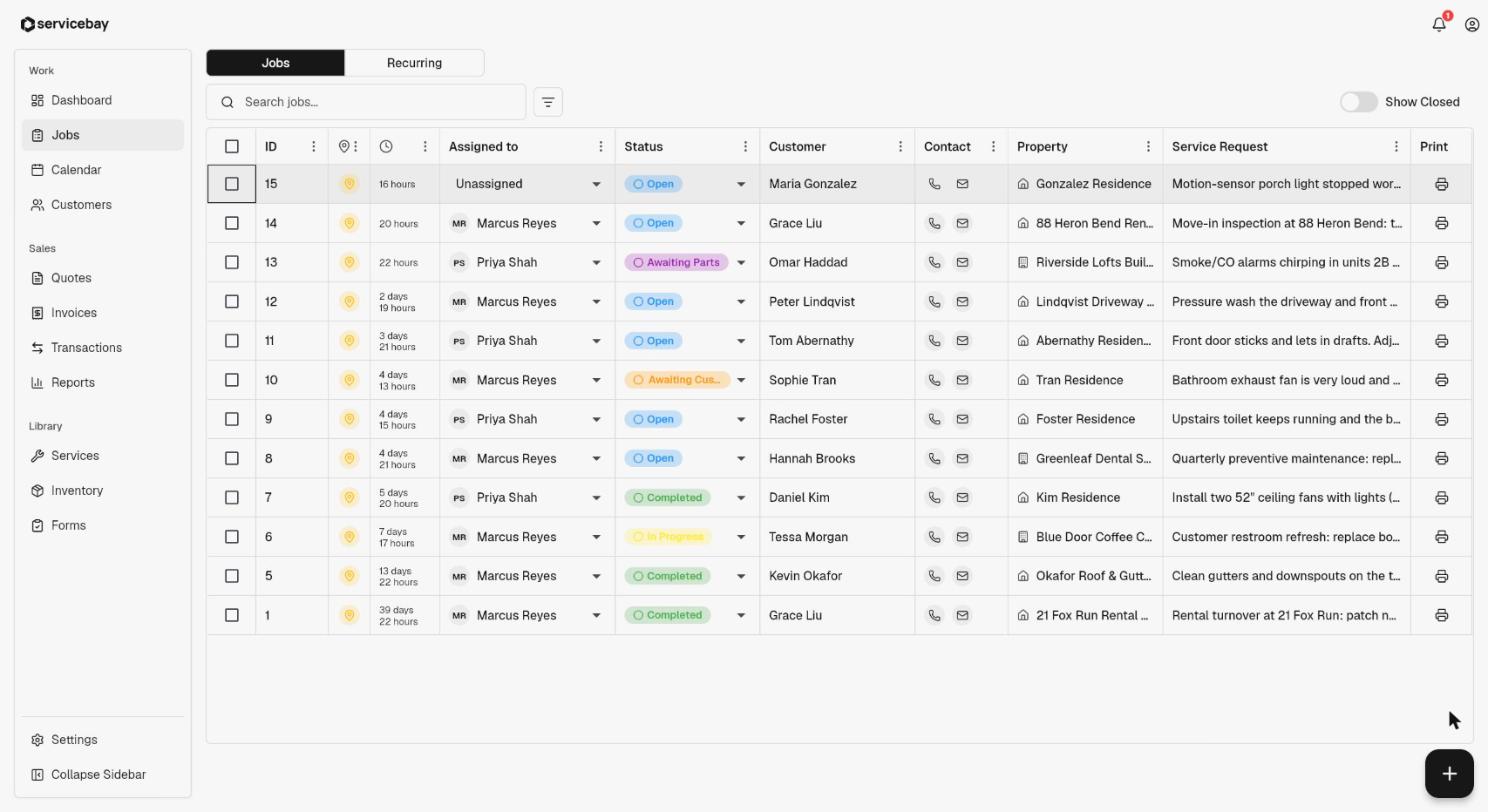
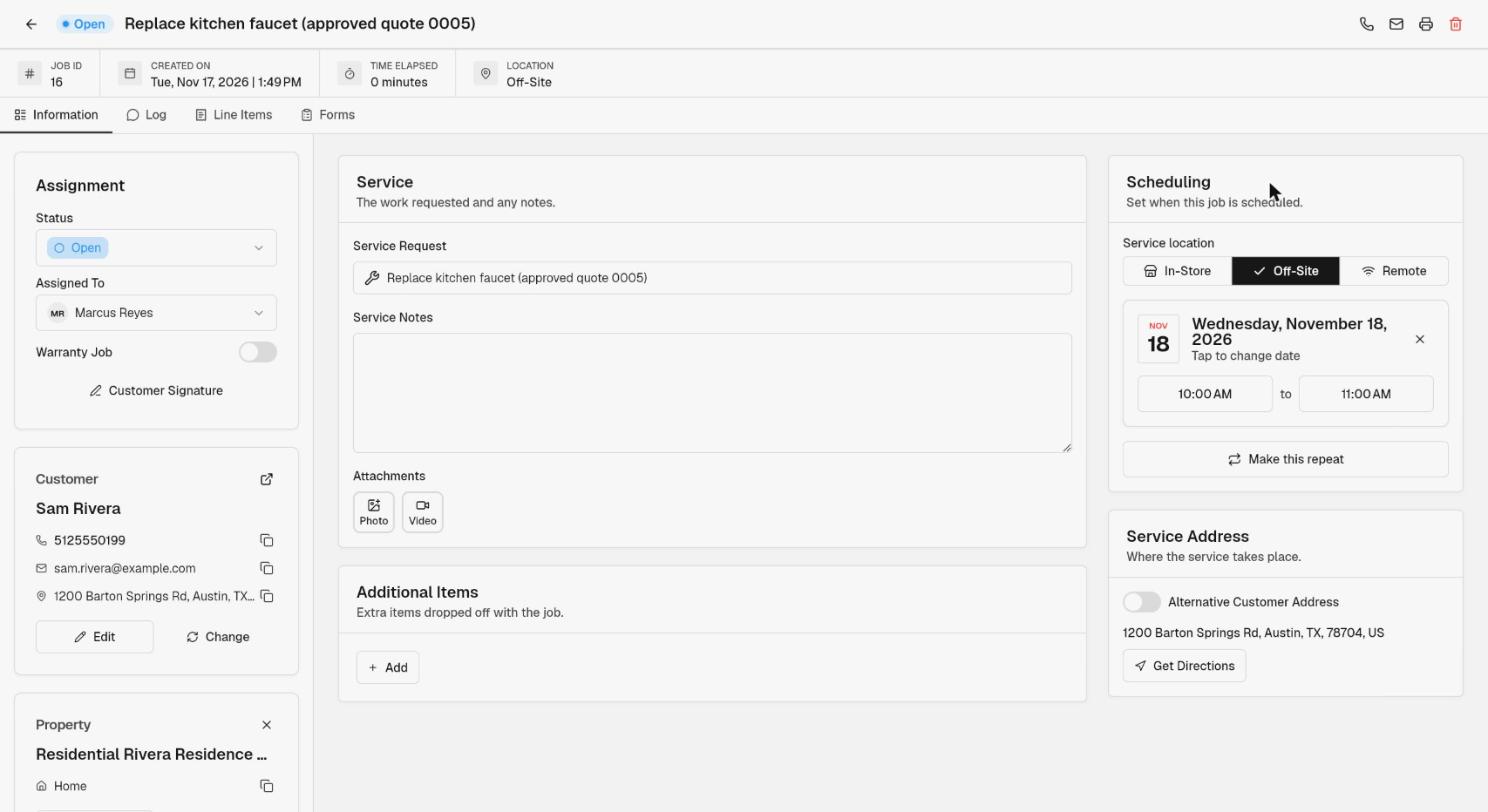
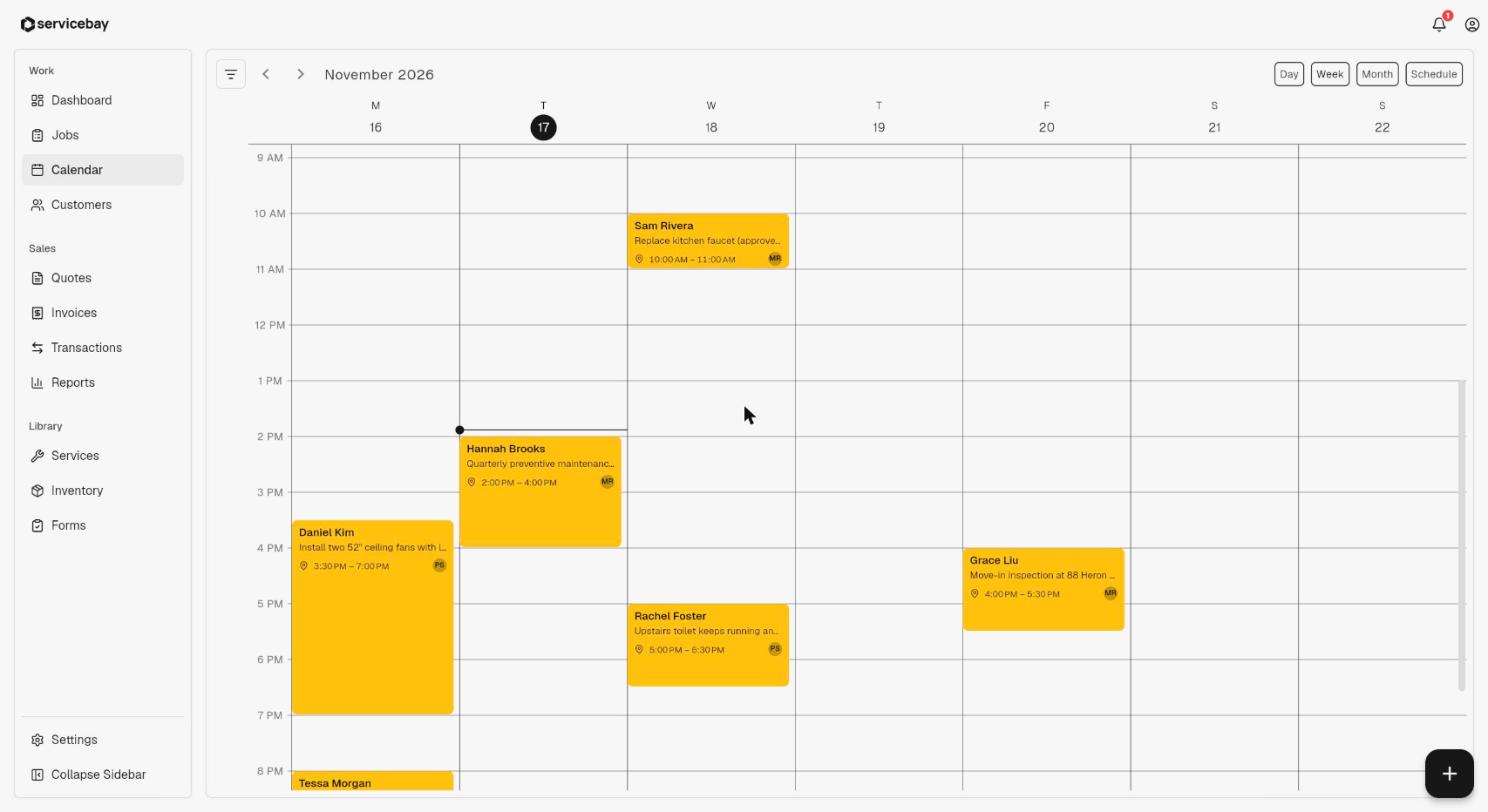
- Job: created separately, assigned to a technician and scheduled for Wednesday at 10 a.m. from a calendar that showed the rest of the team's week.
- Invoice and payment: created the invoice from the job, which copied its line items, then recorded a cash payment. The invoice moved to Paid.
- Closing the job: changed the status to Completed and left a note in the job log.
The whole run took about 12 minutes, including a few detours we describe below.
What worked well
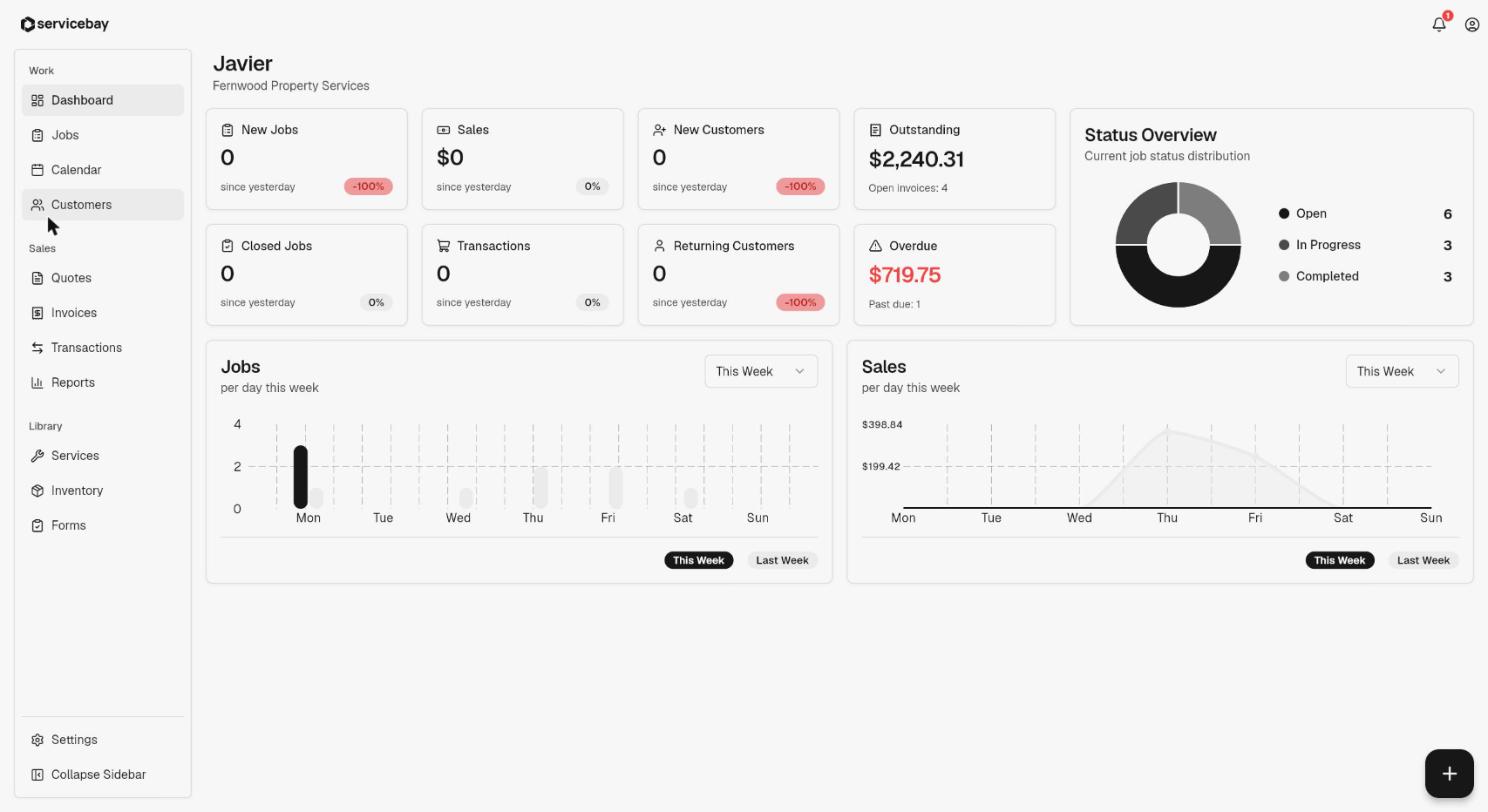
- The interface is clean and fast. Every screen loaded quickly and the forms are short. New users will find their way around.
- Inventory is built in. Parts have SKUs, prices and live stock counts with low-stock flags, and stock moves with the job when you invoice it.
- Tax per line. Labor without tax and parts with sales tax on the same quote, with no workaround.
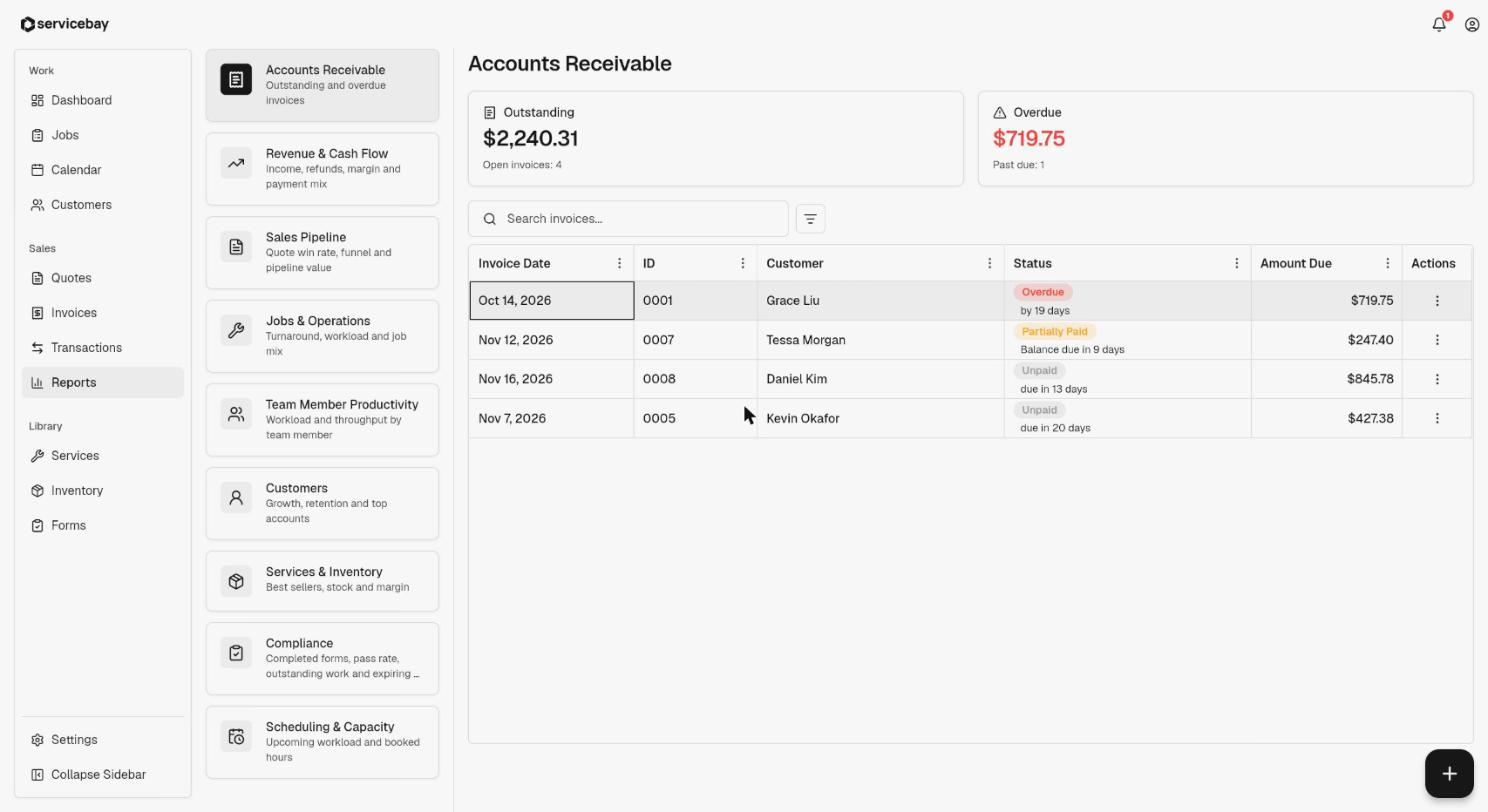
- Reports are broad for the price: accounts receivable, revenue and cash flow, pipeline, team productivity, inventory, compliance and capacity.
- Honest pricing. Published per-seat prices, a 30-day Pro trial with no card, and you can mix Basic and Pro seats.
Where it's weaker
- Quotes and jobs are separate. Our accepted quote offered "Convert to Invoice" but not "convert to job", and we couldn't attach it to the job afterwards. Build the job first and quote from inside it.
- Every job needs a "property". It's an asset record (brand, make, model), not just an address, and the Create button stayed disabled until we had filled in brand, make and model. It's useful for equipment work, but it's an extra step on a simple residential call.
- Some defaults need changing. New jobs start as "In-Store", and phone numbers weren't formatted when we typed them.
- Few integrations. Stripe, Xero and QuickBooks are the whole list: no Zapier or marketing tools.
- Basic can't bill. Quotes, invoices and payments are Pro only.
- It's young. There are few public reviews yet, and Pro AI is still marked as coming soon.
Pricing
Servicebay charges per seat. Basic is $9 a seat a month billed annually ($12 month to month) and Pro is $29 a seat a month billed annually ($36 month to month), checked on its pricing page on November 17, 2026. A three-person crew on Pro pays $87 a month billed annually. For comparison, Jobber Connect for up to 5 users is $149 a month billed annually, and Housecall Pro Essentials for up to 5 users is $149 a month. See our Jobber vs Housecall Pro comparison for those two.
How we checked
We tested Servicebay hands-on on November 17, 2026, using a reviewer account with demo data provided by Servicebay, at no cost to us. Servicebay doesn't see or approve this review before it's published. We're a Servicebay affiliate: if you sign up through our link we may earn a commission, and you get Servicebay's partner discount (20% off the first 3 months on a monthly plan, or 10% off the first year on a yearly plan). It doesn't change what we write. Prices come from Servicebay's pricing page, checked the same day. See how we review software.
Bottom line
Servicebay is one of the best values we've seen for a small crew that wants inventory and decent reports without paying for a big platform. It loses points for the separate quote and job flows, the extra property step and a short integration list. Start the free Pro trial, and build your first job before you quote it. If you need a bigger ecosystem, compare it with Jobber or our Housecall Pro alternatives.
Frequently asked questions
What is Servicebay?
How much does Servicebay cost?
Does Servicebay have a free trial?
What's the difference between Servicebay Basic and Pro?
Does Servicebay work with QuickBooks?
Can an approved quote become a job in Servicebay?
Servicebay or Jobber: which is better for a small crew?
Ready to try Servicebay?
$9/seat/mo • Small crews that want cheap per-seat pricing with inventory
Alternatives to consider
Related comparisons
Get the contractor software cheat-sheet
No-fluff comparisons and pricing updates. Unsubscribe anytime.